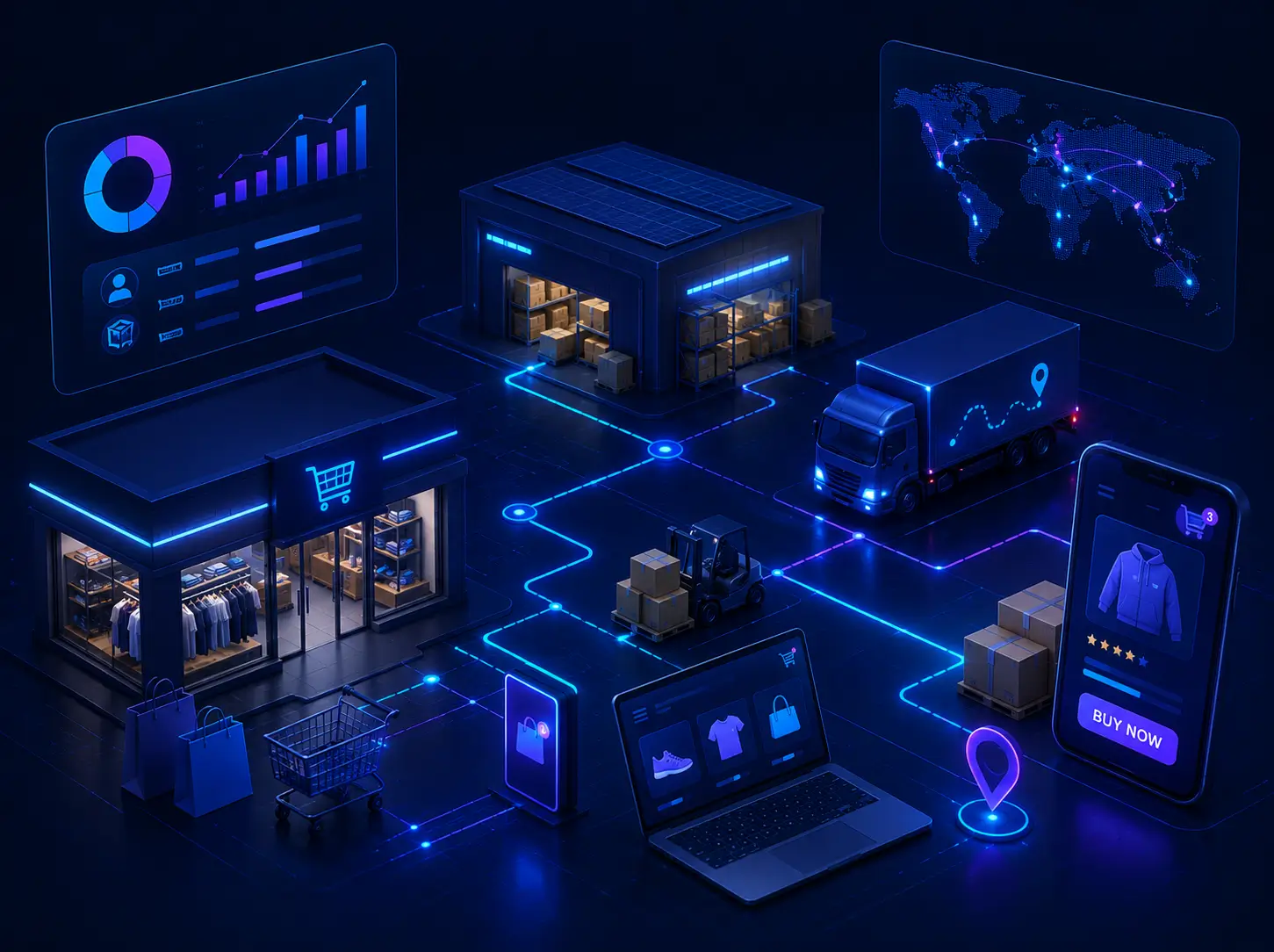
Microsoft Power BI for Business Central & NAV

Connect your Business Central and NAV data to real-time dashboards and reports, accessible anywhere, on any device, at any time.


Microsoft Power BI for Business Central & NAV
person interacting with tablet touchscreen in digital environment

Turn Your Data into Clear, Actionable Insights

Microsoft Power BI connects data from multiple sources, including Excel, cloud storage, Dynamics 365 Business Central and Dynamics NAV, and turns it into clear, interactive visualisations that can be shared across devices. As part of the Microsoft Power Platform, it enables users to move quickly from data to insight to action by preparing data easily, connecting hundreds of sources, and creating shareable reports.

It combines powerful analytics with a user-friendly interface and rich visual reporting, with the key advantage that dashboards and insights are accessible anywhere, on any device, at any time.

Want to Unlock The Full Potential of Your Business Data?

Our Power BI experts are ready to help you get started.

Get the Full Picture Across Your Business

Flexible Reporting Beyond Native BC

Power BI provides a flexible alternative to reports built in Business Central — drill down, customise visualisations and go beyond standard reporting, all within the Microsoft ecosystem.

Embedded Reports Inside Business Central

Power BI reports can be embedded directly inside Business Central and viewed without leaving the system, giving your teams live insights within their existing daily workflow.

Multi-Company Data in One View

Merge and compare data from multiple companies in Business Central within a single Power BI dashboard — delivering group-level visibility that native reports cannot provide.

Who Uses Power BI and How

For Business Users

View Power BI reports in the Power BI Service or directly inside Business Central — no additional tools or separate logins required.

For Administrators

Manage organisation-wide settings that control how Business Central and Power BI work together — ensuring governance, data security and consistent performance.

For Report Creators

Build custom Power BI reports from Business Central and NAV data, then share them across the organisation — fully tailored to your business processes and KPIs.

FAQ

Three options are available: Free (personal use, explore data locally); Pro at £7.54/user/month (self-service analytics, share insights across your organisation — included in Microsoft 365 E5); Premium at £15.08/user/month (advanced AI, big data, enterprise-scale management). Prices are indicative — contact Prodware to discuss the best fit for your organisation.

Some Power BI features are only available with Business Central online, not on-premises. Speak to Prodware to fully understand the options available to your organisation and deployment type.

Why Prodware

Whether you need top-up training on Power BI, a full Business Intelligence project, or prefer Prodware to build and deliver your reports — our team supports you with a tailored Power BI workshop built around your data and your needs. With over 30 years of Microsoft expertise and our own BI extension for Business Central, Prodware is uniquely placed to help you get more from your data.

Have a project? Let's talk!

Tell us about your project and we’ll show you how Prodware can transform your business.

* Please select one of these options:

Transition AX to Business Central

Your existing Microsoft investment doesn't have to go to waste. Move from Dynamics AX to Business Central through a structured, managed transition process - and unlock a modern, future-ready ERP.


Transition AX to Business Central
professional working on computer systems in technical environment

Dynamics AX to Business Central: A Smarter Upgrade Path

If you have an aging Dynamics AX solution that is out of support, or your business has evolved and your current ERP no longer fits your needs, it is time to explore your options. You do not have to start from scratch or waste time evaluating entirely new ERP platforms.

By taking advantage of your past investment in Dynamics AX, you can transfer your AX licences — including maintenance plans — over to Microsoft Dynamics 365 Business Central through the easy-to-follow Microsoft Transition process. This means less disruption, a familiar Microsoft ecosystem, and a modern solution built for the future.

Ready for a Smarter ERP?

Our team is ready to surprise you with what Business Central can do. In 3 simple steps, we can put you on the path to a modern ERP — cloud or on-premise.

Why Transition From AX to Business Central?

An Unbiased Evaluation of Your Options

Prodware delivers an impartial assessment of your upgrade options — from staying on AX to moving to Dynamics 365 or Business Central — with one goal: recommend what’s right for you, without pressure.

Protect and Maximise Your Microsoft Investment

Make the most of your Microsoft investment — your licences, tools, and expertise carry forward, giving you a strong foundation to build a modern Business Central ERP.

A Fully Managed Transition

Prodware can manage your full transition — from assessment and licence transfer to implementation and go-live. If Business Central isn’t the right fit, we also provide Dynamics AX Customer Care Support to keep your system running smoothly.

In 3 Simple Steps, Our Expert Team Can Have You on a Clear Path Forward

Understand Your Challenges

We start by listening. The more we understand your specific needs, pain points and business context, the better the options we can suggest — and the more accurately we can assess whether there is genuine value in evaluating Business Central for your organisation.

Insight Discovery

Our team reviews your current solution needs, identifies the gaps, and maps them against the capabilities of Dynamics 365 Business Central. We also complete an initial licence Transition review to provide a clear and transparent picture of what the licence transfer would look like.

Tailored Demonstration & Implementation Plan

We deliver a tailored demonstration of Dynamics 365 Business Central, shaped around your specific business context. Together, we agree on whether this is the right path for your organisation and if it is, we provide a comprehensive implementation budget and plan to get you started.

FAQ

Yes. Microsoft offers a structured Licence Transition programme that allows organisations to move their existing Dynamics AX licences, including active maintenance plans across to Microsoft Dynamics 365 Business Central. This means you are building on your existing Microsoft investment rather than starting from scratch. Prodware manages this transition process on your behalf, including the initial licence review and transfer administration.

Neither path is forced. Microsoft Dynamics 365 Business Central is available both as a cloud solution and as an on-premise deployment. During the Insight Discovery step of our process, Prodware evaluates both options against your infrastructure, budget and operational requirements so you can make an informed decision that suits your organisation, not a one-size-fits-all recommendation.

That is a perfectly valid outcome, and one we plan for. Prodware offers an unbiased evaluation which means if Business Central is not the right path for your organisation, we will tell you. We can also provide Dynamics AX Customer Care Support to keep your current solution running reliably while you continue to explore your options. There is no pressure to change.

The Microsoft Transition process is designed to be as straightforward as possible particularly for organisations with active maintenance plans. By leveraging the familiar Microsoft ecosystem, your teams are working within a known environment rather than learning an entirely new platform. Prodware's managed approach from initial scoping through to go-live is structured to minimise disruption to your day-to-day operations throughout the transition.

The first step is simply a conversation. Prodware's team starts by listening understanding your current challenges, your business context and what you need from a modern ERP. From there, we can assess whether there is genuine value in evaluating Business Central for your organisation and outline what a realistic transition would look like. No commitment, no pressure.

Why Prodware

For more than 35 years, Prodware has been building value and purpose for its customers by fully grasping and leveraging all technology advances and breakthroughs. We leverage Microsoft's disruptive technologies by designing unique vertical offerings that meet your industry's business challenges while giving your company a competitive edge. We address the Retail, Manufacturing, Professional Services and Finance markets, and support you all along your digital transformation journey with our holistic, end-to-end value proposition.

Have a project? Let's talk!

Tell us about your project and we’ll show you how Prodware can transform your business.

* Please select one of these options:

eCommerce (SANA)

Connect your Microsoft Dynamics ERP directly to your online store — no middleware, no data silos, no compromises. Just a seamless e-commerce experience built for your customers and your business.

eCommerce (SANA)
Person using computer in low light workspace with colored lighting

How does Sana Commerce use your Dynamics ERP data?

Sana Commerce puts your Dynamics ERP at the core of its e-commerce approach, making all your product information and business logic instantly available online.

Unlike traditional e-commerce platforms that rely on data synchronisation or middleware, Sana leverages real-time ERP data across every web store — delivering a consistent, accurate experience for your customers while eliminating the risk of data inconsistencies. The result is an e-commerce solution that is scalable, powerful, and built to grow with your business.

Ready to transform your online sales channel?

Talk to our e-commerce experts and discover what Sana Commerce can do for your business.

Benefits of Sana eCommerce

One Unified (Single-Stack) System

Sana Commerce delivers Dynamics-powered e-commerce that's truly integrated — no synchronisation or replication of ERP data, ever. Built partially inside your Dynamics ERP, Sana leverages real-time data in every web store, eliminating the need for bolt-ons, middleware or split-system order processing.

More Efficient Processes, Better Customer Self-Service

With Sana's Dynamics-integrated approach, you give your internal teams complete visibility into operations and streamline the order-to-cash process — while offering customers personalised experiences, online invoice and account management, RMA, and more. All without impacting the performance of your Dynamics ERP.

Adaptable, Extensible, and Scalable Approach

Real-time Dynamics integration is standard out of the box. Extend your web store with add-ons like PIM or CPQ, all with your ERP at the heart. As your business scales, your tech stack stays lean and manageable. Sana also supports ERP version migrations and offers a SaaS option for automatic upgrades.

What Sana Commerce delivers

Real-Time ERP Data, Live on Your Web Store

Sana Commerce reads directly from your Dynamics ERP no data replication, no scheduled sync jobs, no risk of stale or conflicting information. Every product, price, stock level and customer-specific rule is pulled in real time, so what your customers see online always reflects exactly what's in your ERP.

ERP-Driven Product Catalogue

Your product information, pricing logic, customer-specific discounts and availability data are managed once  inside Business Central or NAV and surfaced automatically on your web store. No need to maintain a separate product catalogue in a third-party platform.

Customer Self-Service Portal

Sana gives your B2B customers the tools to manage their own account online: view order history, track deliveries, access and pay invoices, submit return merchandise authorisation (RMA) requests and reorder with a single click. All account data comes directly from your ERP.

Streamlined Order-to-Cash

Process Because Sana operates inside your Dynamics ERP, orders placed online flow directly into your existing business processes. There is no order duplication between systems, no manual re-entry and no risk of fulfilment errors caused by disconnected platforms.

Extensible with Add-Ons

Sana Commerce supports integration with additional tools such as PIM (Product Information Management) or CPQ (Configure, Price, Quote) while keeping your ERP at the centre of every operation. Your web store capabilities grow with your business, without adding complexity to your tech stack.

FAQ

Sana Commerce is an e-commerce solution built specifically for companies using Microsoft Dynamics 365 Business Central or NAV. Unlike standard e-commerce platforms, Sana is built partially inside your ERP meaning it pulls product data, pricing, stock levels and customer information directly from Dynamics in real time. There is no middleware, no separate database to maintain and no synchronisation process to manage.

No. This is one ERP, which creates a risk of inconsistencies and adds maintenance overhead. Sana eliminates this entirely by reading data directly from Dynamics in real time giving customers an accurate, up-to-date experience at all times.

Sana Commerce enables a full for growing businesses ? Yes. Sana Commerce is designed to scale alongside your business. As your product range, customer base or order volumes grow, the solution adapts without requiring structural changes to your tech stack. You can extend its capabilities with add-ons such as PIM or CPQ, and the SaaS option includes automatic upgrades so you are always running on the latest version. Sana also supports ERP migrations, meaning your web store remains stable as your Dynamics environment evolves.

Why Prodware?

As a certified Microsoft Dynamics and Sana Commerce partner, Prodware brings together deep ERP expertise and digital commerce know-how to help you build an e-commerce experience that truly reflects your business. Our teams support you from the initial scoping and configuration of your Sana web store, through to go-live and ongoing optimisation — ensuring your online channel stays perfectly aligned with your ERP as your business evolves. With Prodware, your e-commerce project is in the hands of experts who speak both the language of ERP and digital commerce.

Have a project? Let's talk!

Tell us about your project and we’ll show you how Prodware can transform your business.

* Please select one of these options:

Upgrade NAV to Business Central

Whether you are moving to the cloud, staying on-premise, or choosing a hybrid approach — Microsoft Dynamics 365 Business Central offers a clear upgrade path and a structured licence transition programme built for NAV and GP users.


Upgrade NAV to Business Central
IT professional using tablet in data center with blue server infrastructure

Upgrade to Business Central

Microsoft Dynamics 365 Business Central provides various upgrade paths and licence transition programmes for organisations looking to move away from historic NAV, GP or AX solutions. Whether you are exploring a cloud deployment, remaining on-premise, or considering a hybrid private cloud hosted option, Business Central gives you the flexibility to choose the approach that best fits your business — without starting from scratch.

Signs You May Need to Upgrade

Business Growth & Change

Your current system no longer supports your growth, expansion, or evolving business needs.

Limited Innovation

Access to modern technologies and new capabilities is restricted by your existing solution.

Disconnected Operations

Siloed systems and data make collaboration and decision-making more difficult.

Customer Expectations

Meeting growing customer demands has become increasingly challenging.

Workforce & Performance

Enable mobile teams and improve system performance to support productivity and growth.

Signs You May Need to Upgrade

Let's Explore Your Options

Our team is ready to listen, evaluate your options, and guide you — whether you stay on NAV or make the move to Business Central.

What a Dynamics Assessment Can Do For You

Evaluate the Value and Align Your Business Objectives

Assess the value of moving from Dynamics NAV, GP or AX to Dynamics 365 Business Central by aligning your business goals with the capabilities of the new solution.

Define Your Upgrade Structure and Plan Your Migration

Understand how to structure your upgrade with a focus on standard functionality, reduced effort, and controlled costs. We can support analysis or move directly into execution.

Compare On-Premise vs Cloud

Get a clear picture of both deployment options on-premise and cloud so you can make an informed decision based on your infrastructure, budget and long-term strategy.

Review Licence & Maintenance Transition

Understand exactly what the transition from your current licence and maintenance plan to Business Central on-premise or cloud looks like in practice.

What Business Central Brings to Your Business

All-in-One Business Management

With Microsoft Dynamics 365 Business Central, you can manage finance and accounting, operations and logistics, sales and purchases, project management, production and customer service all through a single interface running on the Microsoft Azure cloud platform. No more switching between disconnected systems.

Cloud-First, Built on Microsoft Azure

Business Central's SaaS model eliminates the siloed management of information that is common in on-premise environments. Hosted on Azure, it delivers centralised management of your operations and data optimising reporting and project management consistently across all your business applications, with secured access and data storage.

Mobile First Work From Anywhere

Business Central is a fully mobile ERP. Your teams can access the system from any device connected to a network giving employees, processes and systems the connectivity they need to make fast, informed decisions wherever they are.

Native Integration with the Microsoft Ecosystem

Business Central natively integrates with the entire Dynamics 365 suite combining CRM and ERP in one connected environment. It also integrates with Office 365 and Power BI, and gives you access to the Microsoft AppSource marketplace to extend your solution with a wide range of additional applications.

Automatic Updates That Don't Disrupt Your Business

With Business Central in the cloud, updates are seamless and automatic through the SaaS subscription model. Critically, these updates do not affect specific developments or customisations meaning your tailored configurations remain intact with every new version.

FAQ

A Cloud Migration Assessment is the first step in your cloud journey. It gives you a clear understanding of how to move forward with confidence when transitioning from an on-premises solution like NAV or GP to Dynamics 365 Business Central.

You will:

  • Understand the benefits of the cloud
    Identify the concrete advantages of moving to a modern Business Central environment.
  • Align your business needs with Business Central
    Connect your priorities and operational requirements to the platform’s capabilities.
  • Optimise your migration approach
    Structure your transition to reduce effort, control costs, and avoid unnecessary complexity.
  • Define your next steps
    Leave with a clear, actionable roadmap tailored to your organisation.

Your current Microsoft Navision, NAV, GP or AX licence will be processed through the Microsoft Licence Transition programme, converting it to the new Perpetual Dynamics 365 Business Central Licence. The only pre-requisite is an active Microsoft Enhancement, BREP or Maintenance plan (the annual 16% fee you have been paying since purchasing your original licences). This is a straightforward administration process.

If you do not have an active Microsoft maintenance plan, the licence cannot be transitioned and a new licence must be purchased — either as a capital purchase for on-premise or as a monthly subscription for cloud. If you are unsure whether your plan is active, we can help you confirm your status and explore your options.

If you have extended your Dynamics solution with approved partner products — such as Jet Reports, Tasklet Mobile WMS, Zetadocs, Continia Document Management, Sana eCommerce or IYDN — these can all be updated to the latest Business Central versions through an active Maintenance Plan.

Many older implementations include object modifications — changed output documents, custom screens or added business logic. These are not directly available in Business Central, as the core is protected and all modifications are now deployed as Extensions. With new features, personalisation capabilities, workflows and App Source Extensions available, many older modifications may now be redundant. If not, they can be converted or redesigned as Business Central Extensions.

Yes, it is a straightforward administration process. A few clicks and you are with the Prodware Customer Care Support Desk. The Microsoft licence, annual maintenance plan and partner products are all easily transferred to Prodware. A new support agreement is put in place and you are ready for onboarding.

Prodware's Discovery Insight process helps determine which approach is right for you. Many businesses have evolved significantly and may benefit from a re-implementation — taking the opportunity to restructure financial dimensions, clean up legacy data and start fresh. If fundamental system changes are not required and keeping your data history intact is important, a direct upgrade may be the better path.

Why Prodware

For more than 35 years, Prodware has been building value and purpose for its customers by fully grasping and leveraging all technology advances. We leverage Microsoft's disruptive technologies by designing unique vertical offerings that meet your industry's business challenges while giving your company a competitive edge. We address the Retail, Manufacturing, Professional Services and Finance markets — and we support you all along your digital transformation journey with a holistic, end-to-end value proposition. Whether you are ready to upgrade now or simply want to explore your options, our team is ready to listen, advise and step up to the challenge.

Have a project? Let's talk!

Tell us about your project and we’ll show you how Prodware can transform your business.

* Please select one of these options:

Document Management Zetadocs

A comprehensive document management suite built for Microsoft Dynamics 365 Business Central and NAV — from invoice capture to expense reporting, all in one place.


Document Management Zetadocs
IT specialists coding and reviewing data on multiple monitors

How does Zetadocs improve business processes?

Designed for Microsoft Dynamics 365 Business Central and NAV, Zetadocs automates and streamlines the business processes that matter most — from handling and approving supplier invoices to emailing sales invoices and notifications, capturing proof of delivery and managing travel and business expenses.

By eliminating manual, paper-based workflows, Zetadocs helps your teams work faster, reduce errors and maintain a complete digital audit trail — all within the Microsoft ecosystem they already use.

Ready to go paperless?

Discover how Zetadocs can streamline your document workflows.

Why businesses choose Zetadocs

Eliminate costs tied to paper-based processes

From printing and posting invoices to manually filing delivery notes, paper-based workflows carry hidden costs that add up fast. Zetadocs replaces these processes with digital alternatives, reducing postage, storage and administrative overhead across your entire document lifecycle.

Accelerate your finance and operations cycles

Whether it's delivering a sales invoice, processing a supplier invoice or resolving a payment query, Zetadocs cuts the time between action and outcome. Electronic delivery, instant document retrieval and digital approval workflows mean your teams spend less time chasing paper and more time moving work forward.

Gain full visibility with a complete audit trail

Every document processed through Zetadocs is securely stored and instantly retrievable, linked directly to the relevant transaction in Business Central or NAV. Finance and operations teams always have the right document at the right time, with a clear record of who did what and when.

Zetadocs Document Management Solutions

Sales Order Processing

Reduce costs with email delivery and speed up query resolution by capturing your customers' purchase orders. Improve file retrieval and customer service by securely storing order confirmations and invoices in the same electronic archive.

Electronic Invoicing

Instantly deliver and archive electronic invoices, drastically reducing the cost and time of invoicing. File all information related to a transaction electronically to speed up query resolution and improve customer service.

Proof of Delivery Tracking

Reliably scan and store batches of signed Proof of Delivery (POD) notes, allowing instant on-screen access that raises staff productivity and improves customer service.

Collections Management

Reduce the pain of collections management by presenting the right documents to the right people at the right time, encouraging earlier dialogue which allows faster dispute resolution and payment.

Expense Management

On the go expense capture and seamless integration with Microsoft Dynamics 365 Business Central and Dynamics NAV means the end of rekeying travel and entertainment expenses, saving you valuable time.

Supplier Invoice Processing

Automatically split and securely file scanned batches of supplier invoices to increase staff productivity and improve handling of payables. Users of Business Central and NAV get direct and immediate access to suppliers' invoices.

Invoice Approval

Transform your financial approvals process with a modern add-on that takes paperwork off the desk and places the entire process on screen.

FAQ

Zetadocs is a document management solution built specifically for Microsoft Dynamics 365 Business Central and NAV users. It automates the handling of key business documents, supplier invoices, sales invoices, proof of delivery notes and expense claims, replacing paper-based, manual workflows with streamlined digital processes. It is designed to reduce costs, speed up processing times and give teams immediate access to the documents they need.

Yes. Zetadocs is designed specifically for Microsoft Dynamics 365 Business Central and Dynamics NAV. It works within your existing ERP environment, meaning documents are processed, approved and archived in direct connection with your Business Central data, no separate system to manage, no manual data synchronization required.

Zetadocs covers a broad range of business documents across finance and operations: supplier invoices, sales invoices and order confirmations, proof of delivery notes, expense claims and travel receipts, as well as customer notifications and correspondence. The solution is built to manage the full document lifecycle, from capture and delivery to approval and long-term archiving.

Zetadocs transforms the invoice approval process by taking it entirely off paper and on screen. Supplier invoices are automatically captured, split and routed to the appropriate approvers, who can review, approve or query them digitally. This removes bottlenecks caused by physical paperwork, speeds up the approval cycle and gives finance teams a real-time view of where every invoice stands.

Why Prodware?

As a long-standing Microsoft Dynamics partner, Prodware combines ERP expertise with a deep understanding of the document management challenges faced by finance and operations teams. Our consultants work alongside your teams to design, deploy and optimise your Zetadocs environment — so you realise the full benefits of paperless processes from day one. With Prodware, you gain a partner who understands both the technical and business dimensions of your digital transformation.

Have a project? Let's talk!

Tell us about your project and we’ll show you how Prodware can transform your business.

* Please select one of these options:

Document Management Continia

Automate your document processes and simplify your administrative workflows with the Continia suite, natively integrated into Microsoft Dynamics 365 Business Central.


Document Management Continia
Two people working with laptop and document at desk in office

How can Continia help simplify your business processes?

For more than 25 years, Continia has been adding value to Microsoft Dynamics users by developing powerful solutions to automate and simplify administrative processes.

From intelligent document capture to digital expense management and online approval workflows, Continia’s suite is designed to reduce manual effort, eliminate paper-based processes and speed up processing times — giving your teams more time to focus on high-value tasks.

As a trusted Continia partner, Prodware supports you every step of the way, from implementation to ongoing optimization.

Want to see how Continia can transform your document management?

Our experts are ready to guide you.

Continia Solution Benefits

Continia Document Capture

Streamline and automate every step of daily document handling – from receiving and registering a document, to approval, posting and ultimately retrieving previously processed documents from the digital archive.

Continia Expense Management

Through the Expense Management app, travelers can do their expense reporting on the go in just a few steps: they take a picture, fill out required fields and send directly to bookkeeping. Mileage registration is handled in the same way.

Web Approval Portal

Regardless of where the employee is situated, the employee can access all expenditures and documents pending approval by using a PC, tablet or a Smartphone on the go through Continia Web Approval Portal.

Key features of the Continia suite

Automated Document Capture

Continia Document Capture automates the entire document processing cycle — from receiving and registering incoming documents, to routing them through approval, posting and archiving. No more manual data entry, no more lost paperwork.

Digital Approval Workflows

Invoices and expense claims follow a fully digitalised approval process. Each approver is notified, can track progress in real time and take action from any device — without ever leaving the Business Central environment.

Centralised Digital Archive

All processed documents are stored in a secure electronic archive, directly accessible from within Dynamics 365 Business Central. Retrieving a document — even years after it was processed — takes seconds.

Mobile Expense Management

The Continia Expense Management app lets employees submit expense reports on the go: they take a photo of the receipt, fill in the required fields, and send it straight to bookkeeping. Mileage registration works the same way.

Multi-Device Access via the Web Approval Portal

The online approval portal is accessible from any PC, tablet, or smartphone. Employees on the move retain full visibility over pending expenditures and documents awaiting approval — wherever they are.

Native Integration with Microsoft Dynamics 365 Business Central

The Continia suite integrates directly into your Business Central environment — no middleware, no duplicate data entry. Information flows in real time between your document management layer and your ERP system.

FAQ

Continia Document Capture is a document management solution built for users of Microsoft Dynamics 365 Business Central and NAV. It automates every step of incoming document processing — from receipt and registration through to approval, posting and archiving — eliminating repetitive manual tasks and reducing the risk of errors in your administrative workflows.

Yes, the Continia suite is natively integrated with Microsoft Dynamics 365 Business Central and Dynamics NAV. It works directly within your ERP environment, with no external connectors or data synchronisation required. As a certified Microsoft Dynamics partner and trusted Continia reseller, Prodware handles the full implementation and tailors the solution to your specific setup.

Through the Continia Expense Management app, employees on the go can photograph their receipts, fill in the required fields and send their expense report directly to bookkeeping — all from their smartphone. Mileage declarations are handled the same way. The result: less paperwork, fewer errors and faster accounting turnaround.

Yes. The Continia Web Approval Portal gives employees access to all pending expenditures and documents awaiting approval from any device — PC, tablet or smartphone — without needing to be on the company's internal network. This speeds up approval cycles and prevents bottlenecks caused by travel or absence.

Why Prodware?

As a certified Microsoft Dynamics partner and trusted Continia reseller, Prodware brings together deep ERP expertise and hands-on experience with document automation. Our consultants guide you from initial assessment and solution design through to deployment and user training — ensuring Continia is configured to match your specific workflows and business rules. With Prodware, you benefit from a single point of contact for both your ERP and your document management platform.

Have a project? Let's talk!

Tell us about your project and we’ll show you how Prodware can transform your business.

* Please select one of these options:

Human Resources Solutions - Modern HR Applications

Modern HR transformation powered by Microsoft Dynamics 365, Microsoft Viva and Deel — build a connected, automated, and employee centric workforce.

Human Resources Solutions - Modern HR Applications
Woman on phone working

What Modern HR Needs to Succeed Today

HR teams today face rising expectations: complex talent markets, global workforce management, compliance pressure, and the need to deliver exceptional employee experience. Traditional tools no longer scale.

Human Resources Solutions unify HR processes, data, and automation to optimize talent, payroll, and workforce operations across your organization.

AI Capabilities and Copilot for Human Resources Solutions

Modern HR uses AI to streamline workflows, cut admin work, and improve decisions. Copilot tools automate tasks, deliver insights, and boost hiring and engagement.

AI-Powered Recruitment and Candidate Matching

AI streamlines recruitment — screening CVs, matching candidates, and ranking applicants by skills and fit — with greater accuracy and far less HR effort.

Intelligent Employee Onboarding Automation

Copilot-driven onboarding automates documents, tasks, and training — personalized journeys, smart checklists, and reminders that drive compliance and accelerate productivity.

Predictive Workforce Analytics and Insights

AI-powered analytics tools analyze workforce data to predict attrition, engagement, and productivity, enabling smarter HR decisions.

Smart Performance Management and Feedback

AI supports performance management by analyzing goals, feedback, and progress in real time, delivering insights for reviews and fair evaluations.
AI Capabilities and Copilot for Human Resources Solutions

Take Control of Your Workforce with Modern HR Solutions

Unify HR, payroll, talent management, and employee data in one seamless platform. Our Human Resources Solutions help organizations streamline operations, stay compliant, and make better people decisions — powered by real-time insights, every day.

The Strategic Advantages of Our HR Portfolio

Faster, Smarter HR Processes

Automate repetitive workflows and reduce operational bottlenecks. Your HR team works faster with fewer errors.

Confident Global Operations

Manage payroll, compliance, and workforce administration across countries. Stay aligned with local regulations effortlessly.

Empowered & Engaged Employees

Offer modern self service, transparent processes, and seamless onboarding. Enhance satisfaction and retention across the organization.

Data Driven HR Decisions

Centralize HR information and unlock actionable insights. Use real time analytics to drive workforce strategy.

Human Resources Solutions Features that Power your Transformation

Recruitment & Applicant Tracking System (ATS)

Manages job postings, sourcing, CV screening, interviews, and hiring pipelines to streamline recruitment from attraction to onboarding.

Payroll & Benefits Administration

Automates payroll, taxes, compliance, and benefits—handling insurance, leave, bonuses, and compensation with accuracy and consistency.

Performance Management System

Supports goal setting, continuous feedback, performance reviews, KPI tracking, and employee development to drive accountability and long-term growth.

Employee Self-Service & Analytics

Employee dashboards to manage data, requests, and documents, with HR real-time analytics on workforce trends, attendance, engagement, and productivity.

Our Prodware Support & Expertise

Prodware helps HR teams modernize end-to-end with HR tech, integration, AI, and support.

Our Prodware Support & Expertise

HR Process Assessment & Digital Roadmap

Assess HR maturity, map processes, and identify gaps to design a clear digital transformation roadmap aligned with business goals and workforce needs.

HR Platform Implementation

Implement Dynamics 365 HR, Viva, and Deel with tailored configuration, seamless deployment, and user adoption to scale HR operations across the enterprise.

Integration, Data, AI & Continuous Support

Connect ERP, CRM, and talent systems, migrate data securely, automate HR processes, and apply AI-driven insights with continuous optimization and support.


Industries Where we Deliver HR Excellence

  • Regulatory heavy HR operations that require strict compliance and secure employee data governance.
  • Certification & skills tracking for advisors, compliance roles, and regulated positions.
  • Reliable payroll & workforce management for multi entity and international banking environments.
Financial Services & Banking
  • Shift based workforce optimization, including planning, time, and attendance.
  • Compliance & safety processes for plant workers and subcontractors.
  • Scalable HR workflows to support high volume production and multisite operations.
Manufacturing & Supply Chain
  • High volume recruitment cycles with seasonal workforce fluctuations.
  • Frontline employee engagement with mobile first HR experiences.
  • Accurate scheduling & payroll for dispersed retail and logistics teams.
Retail, Distribution & E Commerce
  • Talent allocation & utilization across projects and client engagements.
  • Frictionless onboarding for consultants and contractors across locations.
  • Global payroll & workforce coordination for distributed teams and hybrid workforces.
Professional Services

FAQ

The way people work has fundamentally changed. Hybrid and remote models, skills shortages, and rising employee expectations require organizations to manage people more strategically. HR software provides the structure, visibility, and consistency leaders need to make informed workforce decisions, scale operations, and stay competitive in a fast-moving labor market.

In a competitive global talent pool, employee experience is a key differentiator. HR software helps organizations create more transparent, consistent, and engaging people processes — from onboarding to development and performance. This supports stronger employer branding, improves engagement, and helps retain high value talent in an environment where switching jobs is easier than ever.

HR teams are under pressure to do more with less while supporting increasingly complex workforce models. HR software reduces reliance on manual processes, spreadsheets, and disconnected systems, allowing HR to operate more efficiently and focus on higher value work such as workforce planning, culture, and employee wellbeing.

Market volatility, regulatory change, and evolving workforce expectations require agility. HR software provides leadership with better insight into workforce trends, risks, and opportunities, enabling faster, data driven decisions. This helps organizations respond proactively to change rather than reactively managing issues as they arise.

Why Prodware?

Prodware combines deep HR expertise with leading solutions like Dynamics 365 HR, Microsoft Viva and Deel to modernize people operations and enhance employee experiences.
We deliver secure, compliant, and scalable HR foundations across core HR, payroll, and workforce management.
Our proven track record across industries ensures better efficiency, stronger engagement, and smoother HR transformation.

Have a project? Let's talk!

Tell us about your project and we’ll show you how Prodware can transform your business.

* Please select one of these options:

AI Workplace Technologies : Microsoft 365

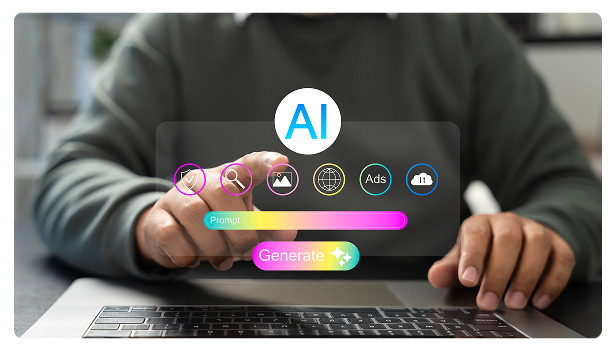
Microsoft 365 workplace technologies: Artificial Intelligence tools that connect, collaborate, and create.
AI Workplace Technologies : Microsoft 365

What Modern Workplace Needs to Succeed Today

AI workplace technologies are no longer just tools, they are central to how people work, share knowledge, make decisions, and create value.

Teams require seamless collaboration, integrated content management, and AI-assisted productivity to navigate hybrid environments. Traditional desktop tools alone cannot keep pace with the speed of modern work.

Microsoft’s AI-powered workplace technology solutions delivered by Prodware unify communication, collaboration, content, with LLM and Agentic AI capabilities to support every employee, across every device and location.

AI Capabilities for the Modern Workplace

AI and Microsoft Copilot are embedded directly into workplace tools to reduce friction, accelerate productivity, and support better decision making in the flow of work

AI-Assisted Productivity with Microsoft 365 Copilot

Copilot helps employees draft content, summarize information, analyze data, and automate routine tasks securely using organizational context.

Copilot Agents for Research & Analysis

AI agents gather, synthesize, and analyze information across documents, emails, and enterprise data to accelerate insight generation and decision making.

AI Enhanced Knowledge & Search

AI improves access to information through smarter search, content discovery, and contextual recommendations across SharePoint and Microsoft 365.

AI Capabilities for the Modern Workplace

Build an AI Powered Workplace That Works for Your People

Unify collaboration, content, and AI assisted productivity with Microsoft workplace technologies, designed to support hybrid work and smarter decision making.

The Strategic Advantages of Our Workplace Solutions

Boost Productivity

Reduce repetitive tasks and empower employees to focus on high-value work with AI-assisted tools and intelligent automation.

Seamless Collaboration

Enable hybrid and remote teams to communicate, co-author, and coordinate effortlessly across locations and devices.

Centralized Knowledge Management

Ensure the right information is available to the right people at the right time through structured content governance and intelligent workflows.

Future-Ready Work

Integrate AI, automation, and advanced analytics into everyday workflows to accelerate decision-making and innovation.

Core Microsoft 365 Workplace Capabilities for the AI Workforce

Microsoft 365 Copilot

AI assistant embedded across Microsoft 365 that helps users draft, summarize, analyze information, automate tasks, and make faster decisions using organizational data securely.

Microsoft 365 Applications

Core productivity applications—Word, Excel, PowerPoint, and Outlook—used for content creation, data analysis, communication, and collaboration, enhanced by cloud and AI capabilities.

Microsoft Teams

Collaboration platform for chat, meetings, calling, and teamwork, enabling real time communication and seamless collaboration across teams and devices.

SharePoint & Knowledge Management

Enterprise content and knowledge platform for intranets, document management, and structured information sharing, providing a trusted foundation for collaboration and AI powered search.

Employee Experience with Microsoft Viva

Employee experience platform that brings communications, learning, insights, and knowledge into the flow of work to improve engagement, wellbeing, and performance.

Copilot Agents in Dynamics 365 applications

Advanced AI agents that gather, synthesize, and analyze information across documents, emails, and enterprise data to accelerate research and insight generation.

Our Prodware Support & Expertise

Prodware supports organizations across the full workplace technology lifecycle, from strategy to adoption, to deliver measurable productivity and engagement outcomes.

Our Prodware Support & Expertise

Workplace Strategy & Digital Roadmap

Assess current ways of working and define a clear roadmap aligned with business and employee needs.

Implementation & Integration

Deploy Microsoft 365, Teams, SharePoint, Viva, and Copilot, integrated with ERP, CRM, and business systems.

Adoption, Optimization & Support

Drive long term value through automation, AI adoption, change management, training, and continuous optimization.

Industries Where We Deliver Workplace Excellence

  • Secure Collaboration: Secure collaboration and content management for regulated environments.
  • Hybrid Work Enablement: Hybrid work enablement for advisory teams across offices and remote locations.
  • AI-Assisted Insights: AI-assisted insights for faster decision-making and reporting.
Financial Services & Banking
  • Real-Time Collaboration: Real-time collaboration for distributed teams and plant workers.
  • Centralized Knowledge Management: Centralized knowledge management for safety, compliance, and operations.
  • AI-Driven Workflow Optimization: AI-driven workflow optimization for production planning and reporting.
Manufacturing & Supply Chain
  • Workforce Support: Support seasonal workforce and frontline employees with mobile-first tools.
  • Seamless Communication: Seamless communication and scheduling across dispersed retail and logistics teams.
  • Intelligent Insights: Intelligent insights to optimize sales and inventory operations.
Retail, Distribution & E-Commerce
  • Project Collaboration: Efficient collaboration across projects, clients, and locations.
  • Secure Content Management: Secure content management and document sharing for consultants and contractors.
  • AI-Enabled Productivity: AI-enabled productivity tools to improve research, reporting, and client deliverables.
Professional Services

Success Stories That Speak for Themselves

No items found.

FAQ

AI Workplace technologies combine cloud productivity tools and Artificial Intelligence to help employees collaborate, communicate, and work more efficiently, anytime, anywhere.

AI reduces repetitive tasks, helps analyze information faster, and supports decision making directly within everyday tools like email, documents, and meetings.

Microsoft 365 Copilot is an AI assistant embedded in Microsoft apps that helps users write, analyze, summarize, and automate work using their organizational data securely.

Yes. AI Workplace solutions respect existing access rights and governance policies. Business data remains secure and is not used to train public AI models.

Prodware supports organizations end to end—from strategy and deployment to adoption and optimization, ensuring measurable business impact and user adoption.

Why Prodware?

Prodware combines deep workplace technology expertise with leading Microsoft solutions to transform how people work.
We deliver secure, scalable, and AI-enhanced workplaces that boost productivity, collaboration, and innovation.
Our proven track record across industries ensures faster adoption, stronger engagement, and measurable business impact.

Have a project? Let's talk!

Tell us about your project and we’ll show you how Prodware can transform your business.

* Please select one of these options:

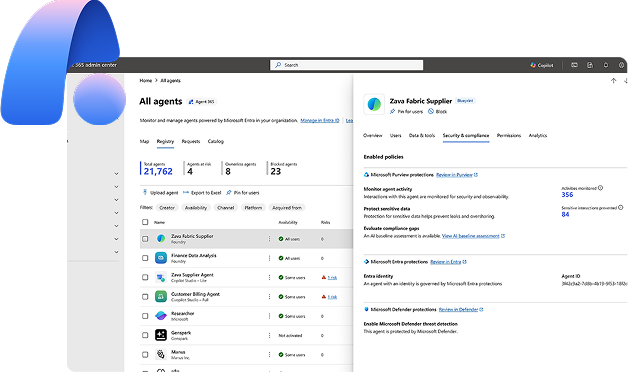
Agentic AI Technologies

Build, deploy, and orchestrate autonomous AI agents across your organisation to automate workflows, enhance decision making, and scale intelligent operations

Agentic AI Technologies

What Modern Enterprises Need from Agentic AI Technologies

Organizations face growing pressure to automate processes, adapt faster, and leverage increasing volumes of data.

Traditional tools struggle to orchestrate complex workflows and decision making at scale.

Agentic AI technologies provide a unified approach to designing, deploying, and governing AI agents – enabling autonomous execution, reducing complexity, and supporting reliable, scalable operations across the enterprise.

AI Capabilities That Power Agentic AI Technologies

Agentic AI enables organizations to move from isolated automation to intelligent, autonomous execution across systems and processes.

Autonomous Task Execution

AI agents independently execute workflows, make decisions, and trigger actions with minimal human intervention.

Multi Agent Orchestration

Coordinate multiple agents across business functions to manage complex, cross system processes.

Context Aware Decision Making

Agents use enterprise data and context to generate insights, recommendations, and actions in real time.

Flexible Autonomy Models

Configure agents from human assisted to fully autonomous scenarios with controlled decision boundaries.

Governance, Security & Responsible AI

Ensure traceability, compliance, and secure operations through built in governance frameworks.

AI Capabilities That Power Agentic AI Technologies

Scale Intelligent Automation with Agentic AI Technologies

Design, deploy, and orchestrate AI agents that automate complex processes, improve decision making, and accelerate business performance.

The Strategic Advantages of Agentic AI Technologies

Faster Automation & Execution

Automate complex workflows and reduce operational delays with intelligent, autonomous execution.

Scalable & Secure Operations

Deploy and manage AI agents across teams and systems with enterprise grade governance and control.

Intelligent Decision Support

Surface insights and recommendations in real time to support faster, better decisions.

Future Ready Innovation

Build a foundation for continuous AI driven transformation and evolving automation needs.

AI Agent Platforms that Power Your Transformation

Microsoft Copilot Studio

Design, customize, and deploy AI agents within Microsoft 365 and Dynamics 365 using a low code approach.
Enable business and IT teams to build intelligent assistants that interact with users and automate workflows directly with everyday tools.

Azure AI Foundry

Build and orchestrate AI agents in a cloud native environment with secure integration, monitoring, and scalability.
Manage complex AI operations across systems while maintaining full control, governance, and performance visibility.

Our Prodware Support & Expertise

Prodware supports organizations across the full Agentic AI lifecycle - from strategy to deployment and optimization - to deliver trusted, scalable outcomes.

Our Prodware Support & Expertise

AI Strategy & Use Case Definition

Identify high value scenarios and define a clear roadmap for agent deployment.

Implementation & Integration

Design, build, and deploy AI agents, integrated with Dynamics 365, ERP, CRM, and enterprise systems.

Governance, Adoption & Optimization

Ensure secure deployment, responsible AI practices, performance monitoring, and continuous improvement.

Industries Where AI Agents Deliver Impact

Prodware supports organizations across a wide range of industries with tailored digital solutions. AI agents add the most value where teams manage high volumes, complex processes, or regulated workflows.


  • Compliance & reporting: Intelligent process automation for controls, reporting, and audit readiness.
  • Advisor support: Agents that help relationship managers and analysts retrieve insights, draft client communications, and summarize portfolios.
  • Regulated workflows: Secure orchestration with approvals, traceability, and policy-aligned access.
Financial Services
  • Operations monitoring: Autonomous monitoring of production and supply flows with alerting and escalation.
  • Scheduling & forecasting: AI-driven planning, demand/supply forecasting, and exception handling.
  • Systems integration: Connect agents with IoT, ERP, and shop-floor systems to act on real-time signals.
Manufacturing & Supply Chain
  • Demand & inventory: Agents supporting demand planning, inventory optimization, and replenishment decisions.
  • High-volume operations: Automation of order management, returns, and customer inquiries at scale.
  • Omnichannel insights: Real-time visibility across channels, stores, and distribution nodes.
Retail & Distribution
  • Delivery & resourcing: AI-assisted project management, staffing, and resource allocation.
  • Knowledge & documents: Intelligent knowledge retrieval, proposal drafting, and document automation.
  • Team support: Agents that support distributed and hybrid teams with Q&A, summarization, and task follow-up.
Professional Services
  • Patient & case support: Triage, summaries, and next-step recommendations based on clinical and operational data (with governance).
  • Operations: Automate referrals, scheduling coordination, and documentation workflows to reduce administrative load.
  • Quality & compliance: Assist with audit preparation, policy adherence checks, and controlled access to sensitive data.
Healthcare & Life Sciences
  • Citizen services: Improve response times through guided assistance, case updates, and knowledge retrieval.
  • Back-office efficiency: Automate document processing, procurement workflows, and internal support requests.
  • Secure governance: Support regulated environments with traceability, access controls, and policy-aligned automation.
Public Sector

FAQ

An AI Agent platform is a software foundation that lets you build, orchestrate, deploy, and govern AI agents that can execute tasks and workflows autonomously—securely and at enterprise scale.

Copilot Studio is used to design and customize agents (copilots) embedded in Microsoft 365 and Dynamics. Azure AI Foundry helps you build and operate end-to-end AI agents in Azure (templates, integrations, monitoring, orchestration). Power Automate automates workflows across apps (approvals, notifications, synchronizations) and can complement agents with robust process automation.

Examples include: team enablement (information retrieval, drafting, Q&A), operational task automation (triage, data extraction, ticket creation), business process assistance (reporting, compliance, planning), and orchestration of workflows across tools (ERP/CRM, Microsoft 365, data platforms).

We implement access controls, data governance, and responsible AI guardrails, leveraging the Microsoft ecosystem (Microsoft 365, Azure) and your internal requirements. The goal is reliable, auditable agents that comply with enterprise policies.

We support you from use-case identification to implementation (Copilot Studio / Azure AI Foundry), integration with your systems (Dynamics 365, ERP, CRM, data), and then deployment, monitoring, and continuous optimization.

Why Prodware?

Prodware helps organizations unlock the value of AI Agent Platforms using Microsoft technologies.
We deliver secure, scalable, and governed AI foundations that enable intelligent automation across the enterprise.
With proven experience across industries, Prodware ensures AI agents drive measurable productivity, innovation, and long-term business value.

Have a project? Let's talk!

Tell us about your project and we’ll show you how Prodware can transform your business.

* Please select one of these options:

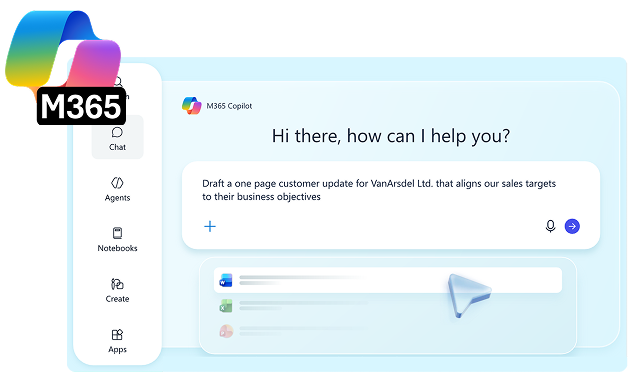
Copilot for Microsoft 365 Adoption Service

A user-focused and ROI-based PoC approach to help you take full advantage of AI capabilities in your workplace productivity tools.

Copilot for Microsoft 365 Adoption Service

What is Copilot for Microsoft 365 Adoption Service?

Prodware AI and Modern Workplace experts guide you through a step-by-step journey to ensure your teams will achieve the most out of Copilot every day.

Together we select and support a group of employees to prioritize usage scenarios, determine and track ROI, perform Copilot for Microsoft 365 training, and work in a Proof of Concept model in order to inform the full roll-out across the business.

Key Phases of a Copilot for Microsoft 365 Adoption Service

Accelerate adoption of Copilot for Microsoft 365 with AI-driven guidance, personalized learning, and actionable insights.
All training materials, live prompts, and supporting content are provided as deliverables. The service covers pilot user and use case selection, license deployment, training, Proof of Concept support, user assistance, and ROI monitoring to prepare for a wider rollout.

Step 1 - Discovery

Two sessions comprise of initial training of your Adopters followed by Discovery of Usage Scenarios and their ROI.

Step 2 - Training

Based on the identified Copilot for Microsoft 365 use cases, we conduct two Adopter Training sessions with practical and theoretical workshops on prompting and Copilot in Teams and Microsoft 365.

Step 3 - Practice

Adopters start with the Usage phase, supported by Prodware’s Modern Workplace experts through ongoing guidance, issue resolution, and practical recommendations.

Step 4 - Accompanying and Measuring

An allocation of hours is available for an on-demand service. Our team resolves queries and holds a fortnightly call with a report covering Microsoft Copilot usage and ROI for your use case scenarios.

Key Phases of a Copilot for Microsoft 365 Adoption Service

Accelerate Copilot for Microsoft 365 Adoption

Maximize user adoption and business impact with expert guidance, tailored enablement, and ongoing support from our specialists.

Benefits of Copilot for Microsoft 365 Adoption Service

Faster Time-to-Value

Pilot users validate high-impact scenarios early, accelerating adoption and reducing the time needed to realize business benefits.

Reduced Deployment Risk

Testing with a controlled user group uncovers challenges early, enabling smoother organization-wide rollout and change management.

Measurable Productivity Gains

Training, support, and usage monitoring help quantify time savings and identify opportunities for greater operational efficiency.

Scalable Adoption Strategy

Insights from the PoC inform governance, enablement, and investment decisions, supporting confident, sustainable growth at scale.

Features of Copilot for Microsoft 365

AI-Powered Assistance Across Microsoft 365

Copilot integrates into Microsoft 365 applications such as Word, Excel, PowerPoint, Outlook, and Teams, providing contextual AI assistance to generate content, summarize information, answer questions, and support day-to-day tasks within existing workflows.

Content Creation and Document Generation

The solution enables users to create, edit, rewrite, and summarize documents, presentations, emails, and reports using natural language prompts. It leverages organizational data and user context to generate relevant and actionable outputs.

Meeting Intelligence and Collaboration Support

Copilot captures and analyzes meeting conversations, generating summaries, action items, decisions, and follow-up tasks. It supports collaboration by surfacing key information from Teams chats, meetings, and shared content across Microsoft 365.

Enterprise Knowledge Access and Insights

The solution connects to organizational data stored across Microsoft 365, allowing users to retrieve information, ask questions in natural language, and generate insights from emails, documents, chats, calendars, and business content while respecting permissions.

Industries Where Copilot for Microsoft 365 Delivers AI Workplace Excellence

  • Support client-facing delivery: Help consultants, legal teams, and advisors draft proposals, summarize workshops, and prepare project communications more efficiently.
  • Improve knowledge reuse: Enable teams to quickly find past deliverables, methodologies, and internal expertise across emails, documents, and meeting content.
  • Increase billable productivity: Reduce time spent on administrative and coordination tasks so specialists can focus more on client work and outcomes.
Professional Services
  • Support regulated workflows: Help teams draft client communications, summarize meetings, and prepare internal documentation faster while working within compliance and governance frameworks.
  • Speed up access to policies and knowledge: Enable employees to find procedures, product information, and internal guidance quickly using natural language across Microsoft 365 content.
  • Improve service and decision support: Bring together insights from emails, documents, and meetings to help relationship managers, operations teams, and support functions respond more effectively.
Financial Services & Banking
  • Support plant and office teams: Help employees quickly access procedures, work instructions, and shared knowledge across production, supply chain, and operations.
  • Improve reporting and handovers: Create summaries, shift updates, and internal communications with less manual effort and more consistency.
  • Increase operational productivity: Reduce time spent searching for information so teams can stay focused on output, coordination, and continuous improvement.
Manufacturing & Supply Chain
  • Support store and head office teams: Help employees access policies, campaign information, and shared knowledge faster across merchandising, operations, and customer service.
  • Speed up communication and content creation: Draft updates, summaries, and internal materials with less effort across retail operations and support functions.
  • Improve workforce efficiency: Reduce time spent finding information so teams can focus more on customer experience, store execution, and business performance.
Retail

FAQ

Copilot for Microsoft 365 Adoption is a structured service from Prodware that helps organizations maximize the value of generative AI within Microsoft apps by supporting user enablement, training, and monitored rollout to ensure strong adoption and ROI.

Adoption ensures employees understand how to use Copilot effectively in their daily work, helping organizations increase productivity, creativity, and skills while optimizing their investment in AI.

A Copilot adoption PoC includes training a selected group of users, providing ongoing support, and monitoring usage to identify best practices and inform a wider organizational rollout.

The service provides training materials, a catalogue of live prompts, and supporting content to help users adopt Copilot effectively and scale its use across the business.

To maximize ROI from Copilot for Microsoft 365, organizations need more than technical deployment. User adoption is often the biggest challenge with new technology, so a structured approach that includes training, support, monitored usage, and clear business use cases is essential to help employees use Copilot effectively and deliver measurable value.

Why Prodware?

As leaders in digital transformation, our approach as a trusted advisor for our clients helps you match disruptive technologies with business realities, to meet your challenges. We create AI-infused apps and deliver consulting and AI training services to answer your needs with competitive advantage and innovation in mind.

Have a project? Let's talk!

Tell us about your project and we’ll show you how Prodware can transform your business.

* Please select one of these options: