
Microsoft 365 Applications

Microsoft 365 combines Office apps, cloud services, and security for productivity and collaboration on any device.
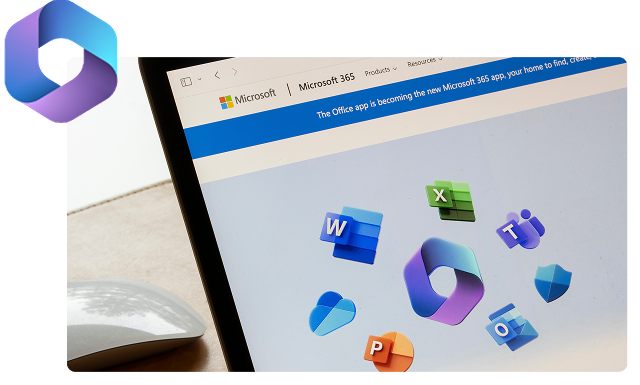

Microsoft 365 Applications
Three people working together using laptop and tablet at desk in office

How Do Microsoft 365 Applications Drive You to Success Today?

Microsoft 365 applications help you and your team be more productive at work, and on-the-go and on any device. 
 
Microsoft 365 provides users with the productivity and collaboration tools to get work done in the modern workplace. It includes applications like Word, Excel, Teams, SharePoint, PowerPoint and Outlook plus many more secured dynamic tools in the cloud that help you work, communicate and collaborate much more efficiently.

Microsoft 365 Applications Powered by AI

Microsoft 365 uses AI with Copilot and built-in features to boost productivity, offering insights, automation, and faster collaboration.

Intelligent Suggestions

AI-driven prompts and recommendations help you write, design, and analyze more effectively.

Automated Workflows

Streamline repetitive tasks with AI-powered automation across apps like Excel, Outlook, and Teams.

Smart Insights

Gain actionable analytics from your data to make informed decisions faster.

Enhanced Collaboration

AI tools assist in summarizing meetings, prioritizing emails, and tracking projects efficiently.

Context-Aware Assistance

Receive real-time guidance and contextual tips as you work across Microsoft 365 apps.

Microsoft 365 Applications Powered by AI

Empower Your Workforce with AI in Microsoft 365

Unlock the full potential of Microsoft 365 and AI productivity tools with Prodware.

Benefits of Microsoft 365 Applications

Bring Your Teams and Resources Together

Unify teams, communication and resources in one collaborative platform for chat, meetings, file sharing and seamless teamwork across teams.

Set Up More Efficient Meetings

Join meetings instantly—inside or outside your organization—with one click, using video, screen sharing, chat, and live notes.

Facilitate Collaboration

Stay connected to files, people and activities in real time, share ideas and access updated information to keep teams always aligned.

Remain Connected

Access emails, contacts and calendars anywhere using Outlook across devices to stay in touch and manage communication easily anytime, anywhere.

What Do Microsoft 365 Applications Do?

Microsoft 365 is the productivity cloud that brings together best-in-class Office apps with powerful cloud services, device management, and advanced security. Let’s take a look at some core applications in addition to modern workplace apps included in Microsoft 365 such as Word, Excel, OneNote, PowerPoint, Loop, Forms, Whiteboard etc.

Microsoft Teams

Microsoft Teams is a collaboration platform for chat, meetings, calling, and file sharing, enabling teamwork across organizations and devices globally.

Microsoft Outlook

Microsoft Outlook is an email and calendar application for managing messages, schedules, contacts, and tasks across work and personal accounts. 

Microsoft Planner

Microsoft Planner is a task management tool that helps teams plan, assign, track, and collaborate on work visually across the organization. 

Microsoft OneDrive

Microsoft OneDrive is a cloud storage service for securely storing, syncing, and sharing files across devices and teams globally.

Microsoft SharePoint

Microsoft SharePoint is a collaboration platform for securely creating, storing, sharing, and managing content, documents, and intranet experiences across organizations. 

Microsoft Viva Engage

Microsoft Viva Engage is a communication platform for communities, conversations, and knowledge sharing that builds engagement and connections.

Security and Cloud Storage with Microsoft 365

A highly mobile, cloud-enabled workplace empowers employees with greater flexibility and capability but also increases exposure to evolving risks targeting corporate data. Microsoft 365 addresses this challenge with integrated security controls and advanced intelligence across key endpoints in a mobile-first, cloud-first environment.

Adopt Identity-based Protection

Protect your organization at the front door and simplify access with secure single sign-on, multi-factor authentication, and risk-based conditional access.

Protect Information Wherever it Goes

Protection must move with information. Protect sensitive information and ensure compliance by ensuring only authorized people can see documents and emails, helping prevent data leakage.

Detect Attacks Faster and Automate Response

Attacks are more sophisticated and spread faster. Prevent threats right away with Microsoft’s unparalleled view into the evolving threat landscape. Respond to breaches automatically where appropriate.

Gain Visibility and Control Over Tools

Simplify security management from one central portal to configure policies or deploy controls, monitor security, and enhance security through built-in intelligence and recommendations.


Security and Cloud Storage with Microsoft 365

Industries Where we Deliver Excellence

  • Telemedicine & Virtual Care: Enhance patient consultations and team collaboration across locations. 
  • Clinical Team Coordination: Streamline communication among doctors, nurses, and support staff. 
  • Health Data Security: Ensure HIPAA-compliant messaging and file sharing. 
Healthcare
  • Remote Learning & Classes: Facilitate virtual classrooms and group discussions. 
  • Faculty Collaboration: Connect teachers for curriculum planning and project coordination. 
  • Student Engagement: Enable interactive chats, polls, and collaboration on assignments. 
Education
  • Secure Communication: Protect sensitive financial data across teams. 
  • Project & Workflow Management: Coordinate audits, reporting, and client projects efficiently. 
  • Client Collaboration: Enable seamless virtual meetings and document sharing. 
Finance
  • Operations Coordination: Streamline communication between production, logistics, and management. 
  • Supply Chain Management: Track projects and coordinate with suppliers in real-time. 
  • Safety & Compliance Updates: Share critical safety alerts and operational protocols instantly. 
Manufacturing
  • Team Communication: Connect store staff, regional managers, and corporate teams. 
  • Inventory & Sales Coordination: Facilitate real-time updates across locations. 
  • Customer Service Collaboration: Streamline support and problem-solving processes. 
Retail
  • Interdepartmental Collaboration: Connect teams across departments and agencies. 
  • Crisis & Emergency Communication: Coordinate rapid responses effectively. 
  • Document Security & Compliance: Maintain strict compliance with government data standards. 
Government

FAQ

Microsoft 365 helps leaders improve productivity and collaboration through a single, cloud-based platform that combines familiar apps, secure communication, and scalable services for small and medium-sized businesses. 

Microsoft 365 includes enterprise-grade security capabilities such as secure email, protected access to files, and built-in controls that help organizations safeguard data while enabling flexible, device-independent work.

Microsoft 365 includes core productivity apps such as Word, Excel, PowerPoint, and Outlook, along with cloud storage and collaboration tools that support everyday work across devices. 

Yes. Microsoft 365 is cloud-based, allowing users to access files, join meetings, and collaborate with colleagues from any location and on multiple devices.

Microsoft 365 enables real-time collaboration through shared documents, online meetings, email, and scheduling tools, helping teams stay connected and work together more efficiently.

Microsoft 365 uses a per-user, subscription-based licensing model, with or without Teams. Organizations choose a Business plan (such as Business Basic, Business Standard, or Business Premium) and assign licenses to users, enabling access to apps, cloud services, and security features based on the selected plan. 

Microsoft 365 provides comprehensive, identity-based security to help safeguard your business in today's mobile and cloud-enabled workplace. Features such as single sign-on (SSO), multi-factor authentication (MFA), and risk-based conditional access help ensure only authorized users can access company resources. Microsoft 365 also leverages advanced threat intelligence to detect attacks quickly, prevent threats before they spread, and automate response actions when appropriate.

Microsoft 365 protects sensitive information wherever it resides or travels by applying security controls directly to documents, emails, and other business data. This helps prevent unauthorized access and data leakage while supporting compliance requirements. Administrators also gain centralized visibility and control through a single management portal, making it easier to configure security policies, monitor risks, and implement Microsoft’s recommended security best practices.

Why Prodware?

As a certified Microsoft Gold Partner with over 30 years of experience, we support customers throughout their transformation journeys, turning market challenges into sustainable growth opportunities.

Our deep expertise across the full Microsoft technology stack enables us to integrate productivity tools such as Microsoft 365 into business processes, helping teams stay focused, connected, and aligned—wherever they work.

CONTACT US

Have a project? Let's talk!

* Please select one of these options: