
Copilot for Microsoft 365 Adoption Service

A user-focused and ROI-based PoC approach to help you take full advantage of AI capabilities in your workplace productivity tools.
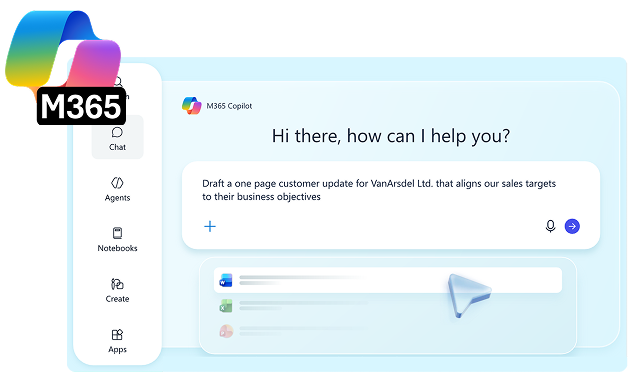

Copilot for Microsoft 365 Adoption Service

What is Copilot for Microsoft 365 Adoption Service?

Prodware AI and Modern Workplace experts guide you through a step-by-step journey to ensure your teams will achieve the most out of Copilot every day.

Together we select and support a group of employees to prioritize usage scenarios, determine and track ROI, perform Copilot for Microsoft 365 training, and work in a Proof of Concept model in order to inform the full roll-out across the business.

Key Phases of a Copilot for Microsoft 365 Adoption Service

Accelerate adoption of Copilot for Microsoft 365 with AI-driven guidance, personalized learning, and actionable insights.
All training materials, live prompts, and supporting content are provided as deliverables. The service covers pilot user and use case selection, license deployment, training, Proof of Concept support, user assistance, and ROI monitoring to prepare for a wider rollout.

Step 1 - Discovery

Two sessions comprise of initial training of your Adopters followed by Discovery of Usage Scenarios and their ROI.

Step 2 - Training

Based on the identified Copilot for Microsoft 365 use cases, we conduct two Adopter Training sessions with practical and theoretical workshops on prompting and Copilot in Teams and Microsoft 365.

Step 3 - Practice

Adopters start with the Usage phase, supported by Prodware’s Modern Workplace experts through ongoing guidance, issue resolution, and practical recommendations.

Step 4 - Accompanying and Measuring

An allocation of hours is available for an on-demand service. Our team resolves queries and holds a fortnightly call with a report covering Microsoft Copilot usage and ROI for your use case scenarios.

Key Phases of a Copilot for Microsoft 365 Adoption Service

Accelerate Copilot for Microsoft 365 Adoption

Maximize user adoption and business impact with expert guidance, tailored enablement, and ongoing support from our specialists.

Benefits of Copilot for Microsoft 365 Adoption Service

Faster Time-to-Value

Pilot users validate high-impact scenarios early, accelerating adoption and reducing the time needed to realize business benefits.

Reduced Deployment Risk

Testing with a controlled user group uncovers challenges early, enabling smoother organization-wide rollout and change management.

Measurable Productivity Gains

Training, support, and usage monitoring help quantify time savings and identify opportunities for greater operational efficiency.

Scalable Adoption Strategy

Insights from the PoC inform governance, enablement, and investment decisions, supporting confident, sustainable growth at scale.

Features of Copilot for Microsoft 365

AI-Powered Assistance Across Microsoft 365

Copilot integrates into Microsoft 365 applications such as Word, Excel, PowerPoint, Outlook, and Teams, providing contextual AI assistance to generate content, summarize information, answer questions, and support day-to-day tasks within existing workflows.

Content Creation and Document Generation

The solution enables users to create, edit, rewrite, and summarize documents, presentations, emails, and reports using natural language prompts. It leverages organizational data and user context to generate relevant and actionable outputs.

Meeting Intelligence and Collaboration Support

Copilot captures and analyzes meeting conversations, generating summaries, action items, decisions, and follow-up tasks. It supports collaboration by surfacing key information from Teams chats, meetings, and shared content across Microsoft 365.

Enterprise Knowledge Access and Insights

The solution connects to organizational data stored across Microsoft 365, allowing users to retrieve information, ask questions in natural language, and generate insights from emails, documents, chats, calendars, and business content while respecting permissions.

Industries Where Copilot for Microsoft 365 Delivers AI Workplace Excellence

  • Support client-facing delivery: Help consultants, legal teams, and advisors draft proposals, summarize workshops, and prepare project communications more efficiently.
  • Improve knowledge reuse: Enable teams to quickly find past deliverables, methodologies, and internal expertise across emails, documents, and meeting content.
  • Increase billable productivity: Reduce time spent on administrative and coordination tasks so specialists can focus more on client work and outcomes.
Professional Services
  • Support regulated workflows: Help teams draft client communications, summarize meetings, and prepare internal documentation faster while working within compliance and governance frameworks.
  • Speed up access to policies and knowledge: Enable employees to find procedures, product information, and internal guidance quickly using natural language across Microsoft 365 content.
  • Improve service and decision support: Bring together insights from emails, documents, and meetings to help relationship managers, operations teams, and support functions respond more effectively.
Financial Services & Banking
  • Support plant and office teams: Help employees quickly access procedures, work instructions, and shared knowledge across production, supply chain, and operations.
  • Improve reporting and handovers: Create summaries, shift updates, and internal communications with less manual effort and more consistency.
  • Increase operational productivity: Reduce time spent searching for information so teams can stay focused on output, coordination, and continuous improvement.
Manufacturing & Supply Chain
  • Support store and head office teams: Help employees access policies, campaign information, and shared knowledge faster across merchandising, operations, and customer service.
  • Speed up communication and content creation: Draft updates, summaries, and internal materials with less effort across retail operations and support functions.
  • Improve workforce efficiency: Reduce time spent finding information so teams can focus more on customer experience, store execution, and business performance.
Retail

FAQ

Copilot for Microsoft 365 Adoption is a structured service from Prodware that helps organizations maximize the value of generative AI within Microsoft apps by supporting user enablement, training, and monitored rollout to ensure strong adoption and ROI.

Adoption ensures employees understand how to use Copilot effectively in their daily work, helping organizations increase productivity, creativity, and skills while optimizing their investment in AI.

A Copilot adoption PoC includes training a selected group of users, providing ongoing support, and monitoring usage to identify best practices and inform a wider organizational rollout.

The service provides training materials, a catalogue of live prompts, and supporting content to help users adopt Copilot effectively and scale its use across the business.

To maximize ROI from Copilot for Microsoft 365, organizations need more than technical deployment. User adoption is often the biggest challenge with new technology, so a structured approach that includes training, support, monitored usage, and clear business use cases is essential to help employees use Copilot effectively and deliver measurable value.

Why Prodware?

As leaders in digital transformation, our approach as a trusted advisor for our clients helps you match disruptive technologies with business realities, to meet your challenges. We create AI-infused apps and deliver consulting and AI training services to answer your needs with competitive advantage and innovation in mind.

Have a project? Let's talk!

Tell us about your project and we’ll show you how Prodware can transform your business.

* Please select one of these options: