

Microsoft Dynamics 365 Project Operations
Deliver profitable projects on time and on budget
Service organizations are looking for flexible ways to respond to changing business models, with automation of business processes from lead to billing to insight plus optimization of their workforce and productivity to ensure project success.
What is Microsoft Dynamics 365 Project Operations?
Microsoft Dynamics 365 Project Operations (was Dynamics 365 Project Service Automation) unifies all aspects of the project life cycle—from prospects to payments—in a single solution, with the visibility, collaboration and insight needed to drive success across operations.
Dynamics 365 Project Operations connects sales, resourcing, project management and finance teams within a single application to win more deals, accelerate project delivery and maximize profitability.

Benefits – Microsoft Dynamics 365 Project Operations
Project Sales – Deliver a Differentiated Customer Experience
Increased client satisfaction, revenue, renewals, trust and loyalty.
Resourcing – Optimize Resource Utilization
Improved resource utilization, productivity, optimized staffing and employee retention.
Project Managers – Accelerate Project Delivery
Improved project and client insight, accelerate delivery, reduced cost of operations and service delivery throughout each project lifecycle.
Team Members – Improve Collaboration and Quality Of Work
Improved client insight, quality of work, time to impact and work satisfaction.
Finance – Maximize Project Profitability
Faster time to billing, compliance, higher profit margins and revenue growth on project-based services.
Leaders – Increase Innovation and Business Agility
Reduced time to market for innovative services, lower OPEX and operational excellence.

Capabilities – Microsoft Dynamics 365 Project Operations

Optimized Resource Management
View and filter resources based on role, skill set, capacity, location and availability to ensure you assign the right people on the right projects at the right time.
Streamline resource scheduling with AI-powered recommendations to match the best resource to a task.
Manage workloads with real-time project visibility into team capacity and resources using a unified scheduling engine.
Track employee skills, certifications and experience to identify skills gaps and training / hiring plans for operational teams.
Accurately measure utilization and make intelligent decisions to get the most out of billable resources and reduce project delays by using real‑time dashboards.

Project Planning and Execution
Provides project managers with tools to plan, track, and execute projects from start to finish. It enables real-time collaboration, scheduling, and task management to support successful delivery. Built-in Gantt charts and work breakdown structures (WBS) simplify project and task scheduling, allowing users to define timelines, dependencies, milestones, and deadlines while assigning roles and responsibilities. Real-time dashboards and Kanban boards offer clear visibility into progress. Automated notifications and reminders help keep tasks on schedule. Teams can quickly adapt to scope changes and risks by monitoring key performance indicators, ensuring efficient and profitable project outcomes.

Financial Management
Dynamics 365 Project Operations financials help businesses track project costs, revenue, and profitability, ensuring accurate budgeting, billing, and forecasting. Set up and manage budgets with labor, material, and overhead estimates. Monitor KPIs, actual vs. planned costs, cost variances, and profitability. Flexible contract and billing management supports multiple models. Predict revenue and cash flow from project pipelines. Ensure compliance, automate revenue recognition, manage deferred/recognized revenue, and generate invoices from timesheets and expenses based on project progress.

Time and Expense Management
Ensure accurate time logging, expense reporting and billing, improve project profitability and financial transparency. Employees can log hours worked and expenses incurred directly in the system, while managers can review and approve or reject timesheets and expenses before invoicing.
As a cloud-first application, employees can log billable and non-billable hours, with mobile and web-based timesheet and expense submission from anywhere. Set up automatic reminders for employees to submit time entries on schedule.
Define expense categories and policies for compliance and link expenses to projects for real-time financial reporting. Automate approvals, reimbursement and client billing workflows.

Sales and Quoting
Create accurate project-based quotes, manage contracts, and streamline the sales cycle in Dynamics 365 Project Operations. Estimate costs, forecast revenue, and ensure smooth transitions from sales to execution. Generate detailed quotes with templates and cost insights, engage customers via a secure portal, and define contract types (fixed-price, T&M, retainer). Automate approvals, track revisions, and manage opportunities from lead to contract. Prioritize deals with AI-driven insights, unify dashboards, and seamlessly hand off won deals into project plans while managing labor rates and statements of work.

Automation and AI Insights
The Automation and AI Insights in Microsoft Dynamics 365 Project Operations use AI and workflow automation to streamline processes, enhance decision-making, and boost project efficiency. Businesses can reduce manual effort, optimize resources, pricing, and costs, and gain actionable insights for better outcomes. Set up approval workflows for timesheets, expenses, and project changes. Use Power Automate for milestone triggers, receive proactive alerts for budget or schedule risks, automate reports with Power BI, and leverage AI for data entry, document processing, and real-time project metrics.

Integration with Microsoft Tools
Seamlessly integrates with Microsoft 365, Power Platform and other Dynamics 365 applications.
Seamless integration with Microsoft Teams, Outlook, and Power BI for better collaboration and reporting.
Integrate with Power Automate for custom workflows and automation for resource requests and approvals.
Seamless integration with Microsoft 365 for real-time collaboration on documents and tasks including Microsoft Teams for communication and file sharing.
Connect with Microsoft Dynamics 365 Finance for financial management in your ERP.
Sync with Microsoft Dynamics 365 Sales for project-based quoting and contracting and to manage the complete customer journey.
Features – Microsoft Dynamics 365 Project Operations
Microsoft Copilot and AI capabilities in Dynamics 365 Project Operations
Built-in AI and Microsoft Copilot in Dynamics 365 Project Operations empower consultants, sales personnel, project and resource managers, as well as project accountants in Dynamics 365 Project Operations, providing them with intelligent, natural-language interactions.
Automation, insights and recommendations streamline project management, resource allocation, financials and collaboration.
AI-Powered Project Insights
Get real-time recommendations for project planning, budgeting and execution.
AI identifies potential risks, delays, and cost overruns before they happen.
Predict project profitability and resource needs using machine learning models.
Intelligent Resource Optimization
AI suggests the best resources for a project based on skills, availability and past performance.
Automatically balance workloads to prevent under- or over-utilization of employees.
Use predictive analytics to forecast future hiring and upskilling needs.
Smart Forecasting & Predictive Analytics
AI-driven insights help predict revenue, expenses and project completion dates.
Identify patterns in past projects to improve future cost estimates and timelines.
Use AI-based scenario modeling to evaluate different project execution strategies.
AI-Driven Sales & Quoting
AI recommends the best pricing strategies based on market trends and historical data.
Automate proposal creation with smart templates that adjust based on project scope.
Predict which project opportunities are most likely to convert into actual sales.
Time & Expense Agent
Copilot simplifies time tracking and expense reporting for project-based businesses. It uses natural language processing (NLP), automation and AI insights to reduce manual effort, improve accuracy and streamline approvals.
Project Planning with Copilot
Copilot helps create project plans by suggesting tasks, dependencies, and timelines based on similar past projects.
Identifies potential project delays, budget overruns and resource conflicts before they happen.
What’s inside…
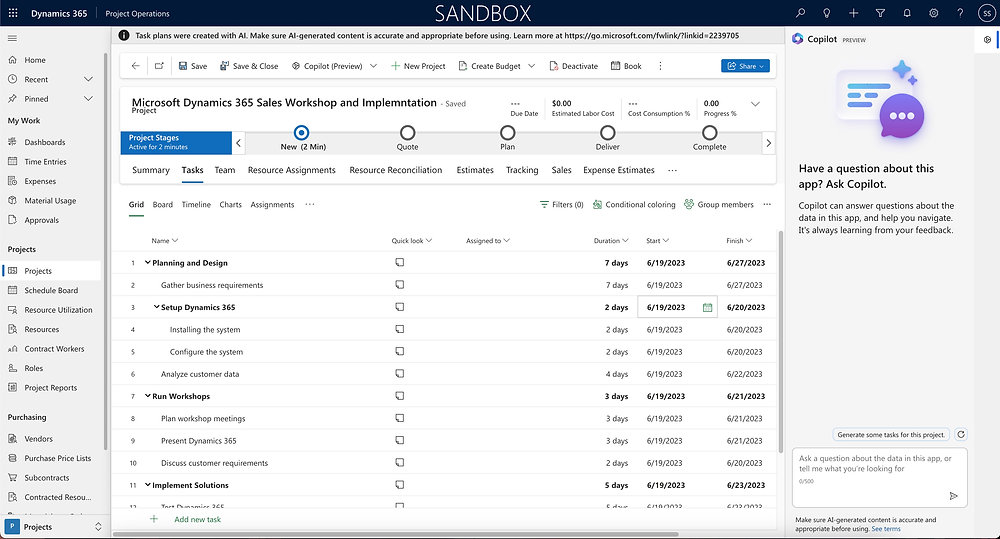
Copilot sidebar in Dynamics 365 Project Operations
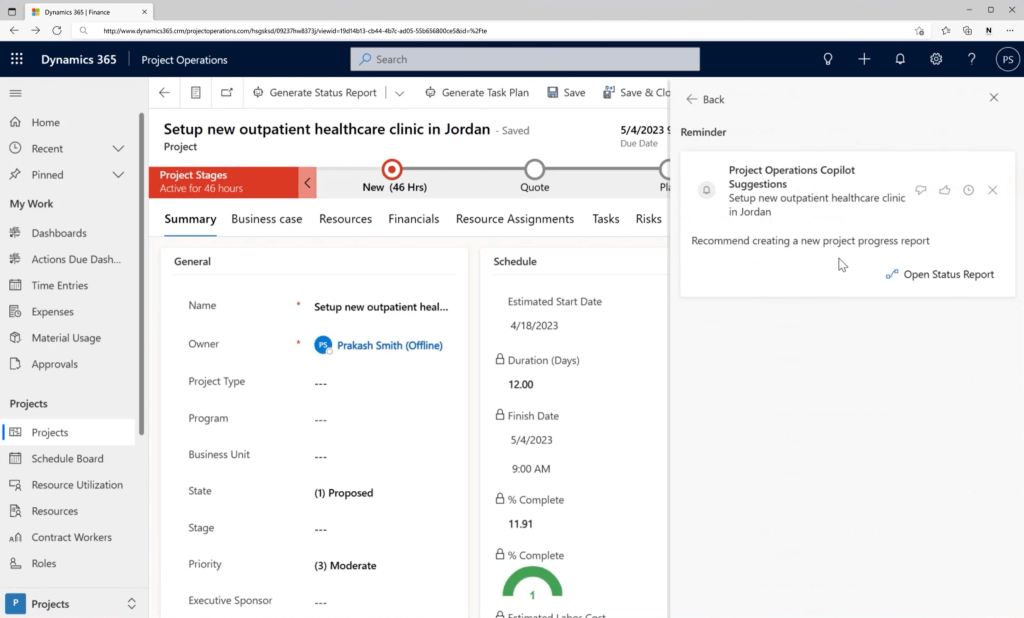
Copilot recommendations for Project Management
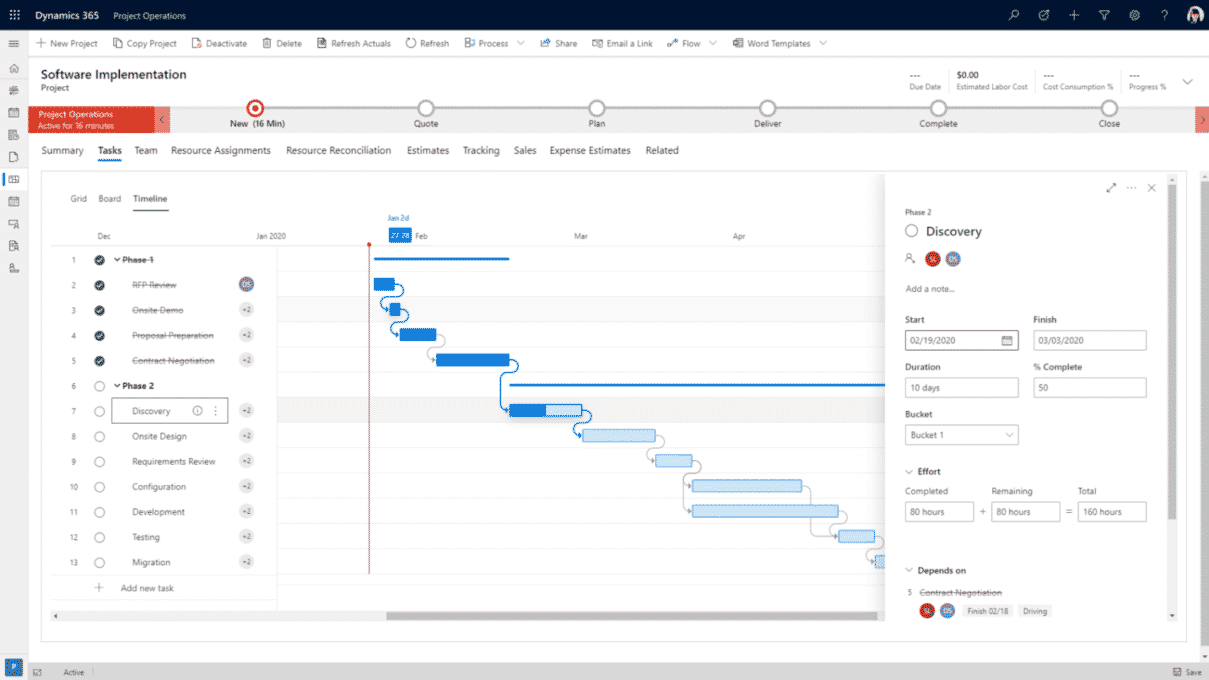
Planning tasks in Microsoft Dynamics 365 Project Operations
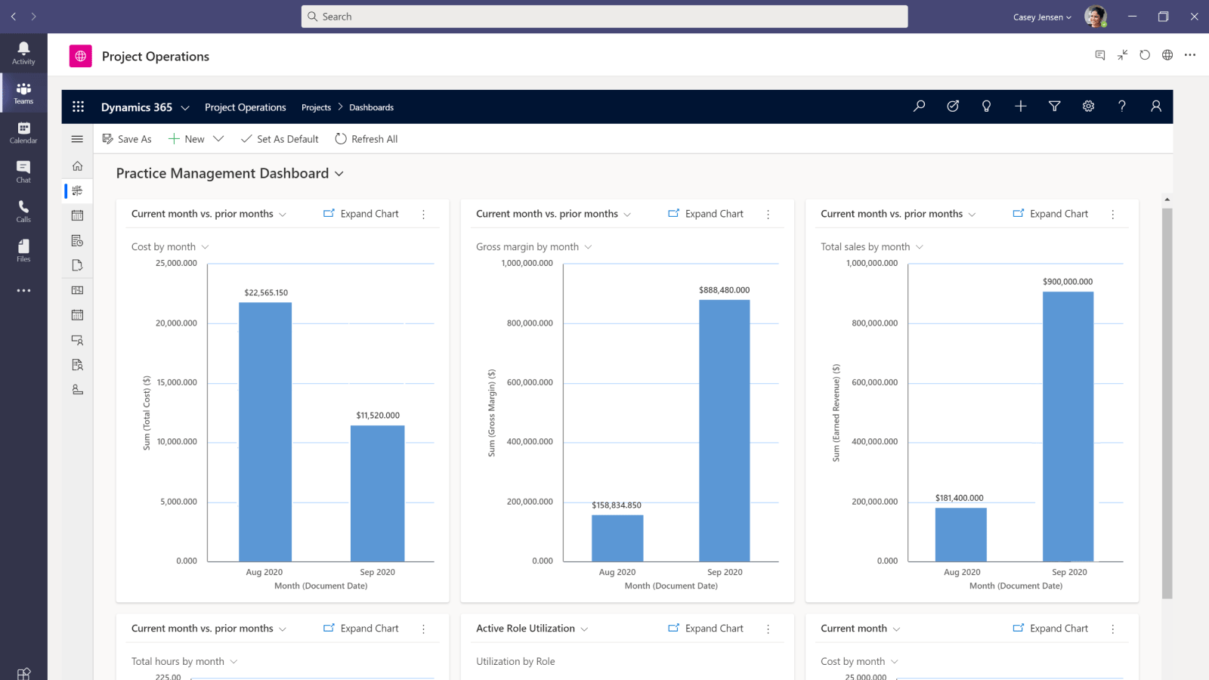
Microsoft Dynamics 365 Project Operations insights
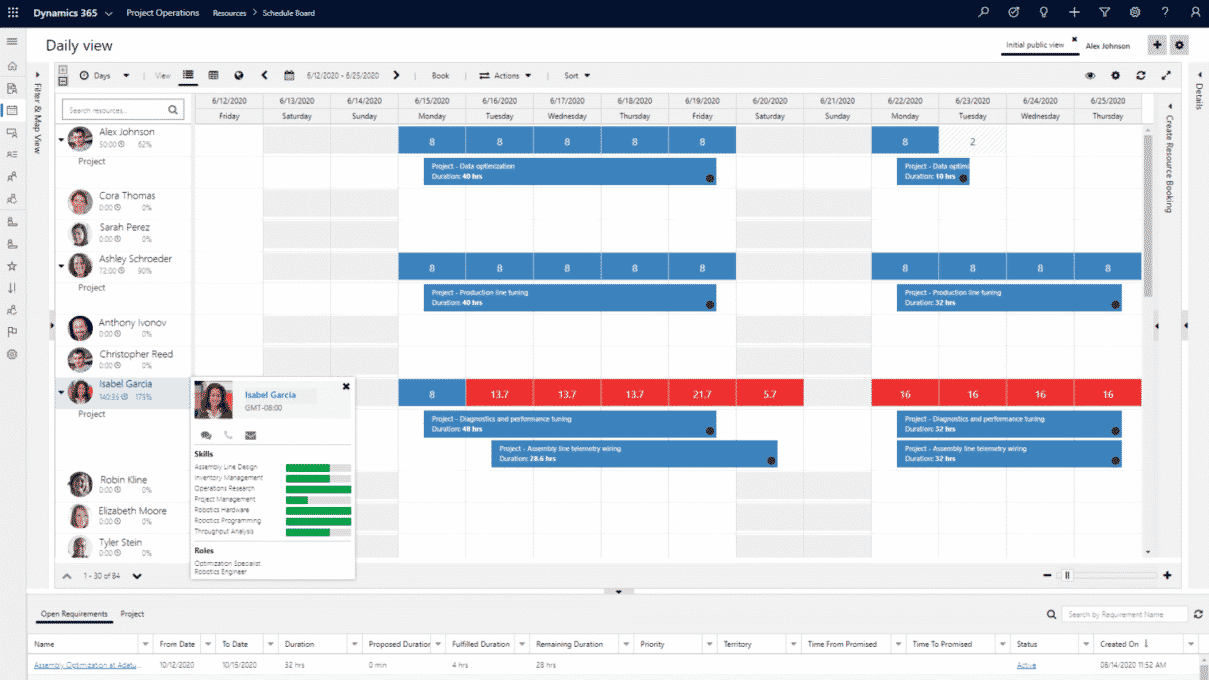
Microsoft Dynamics 365 Project Operations resource planning
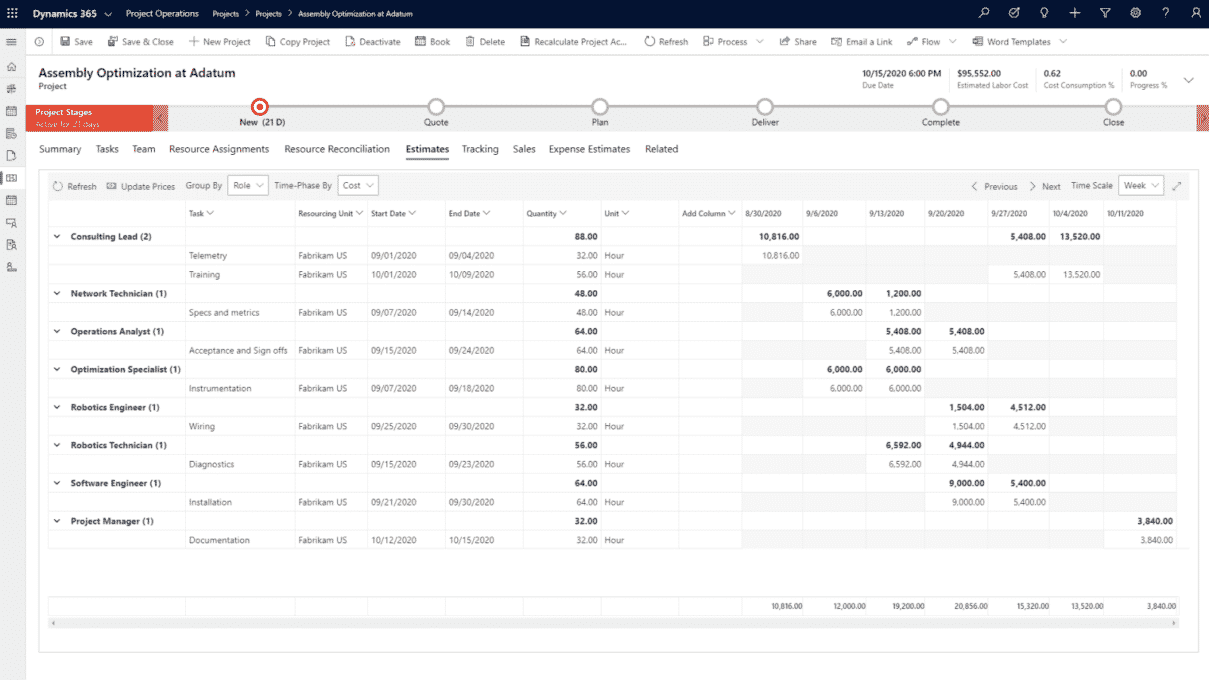
Microsoft Dynamics 365 Project Operations deal management
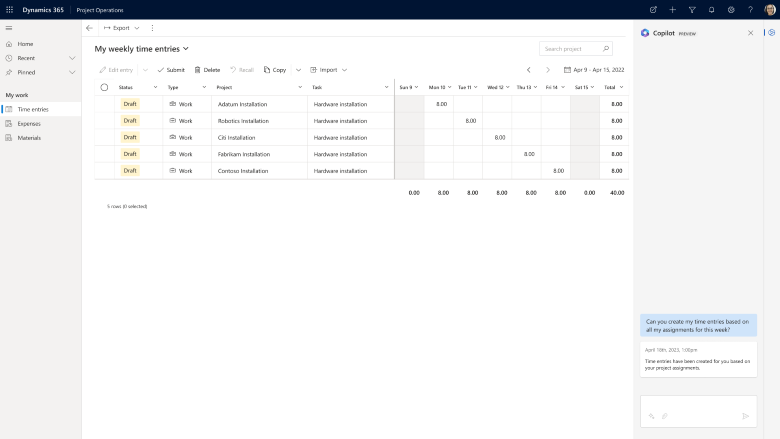
Timesheet entry with Copilot
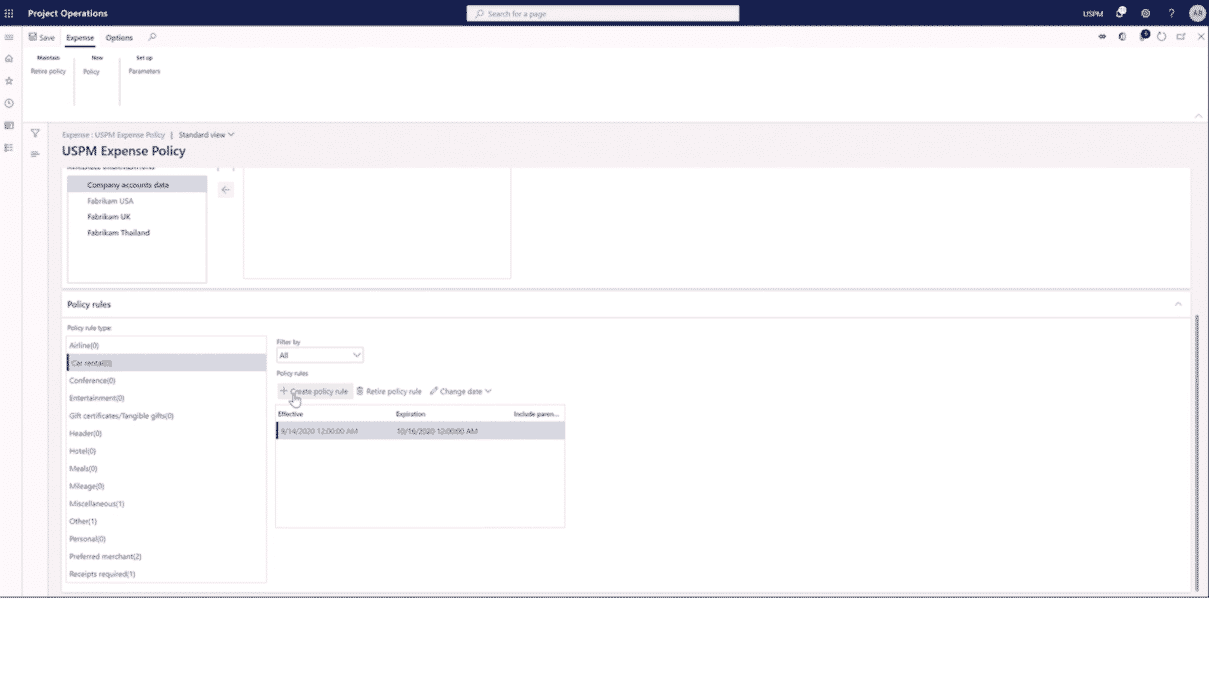
Microsoft Dynamics 365 Project Operations expense management
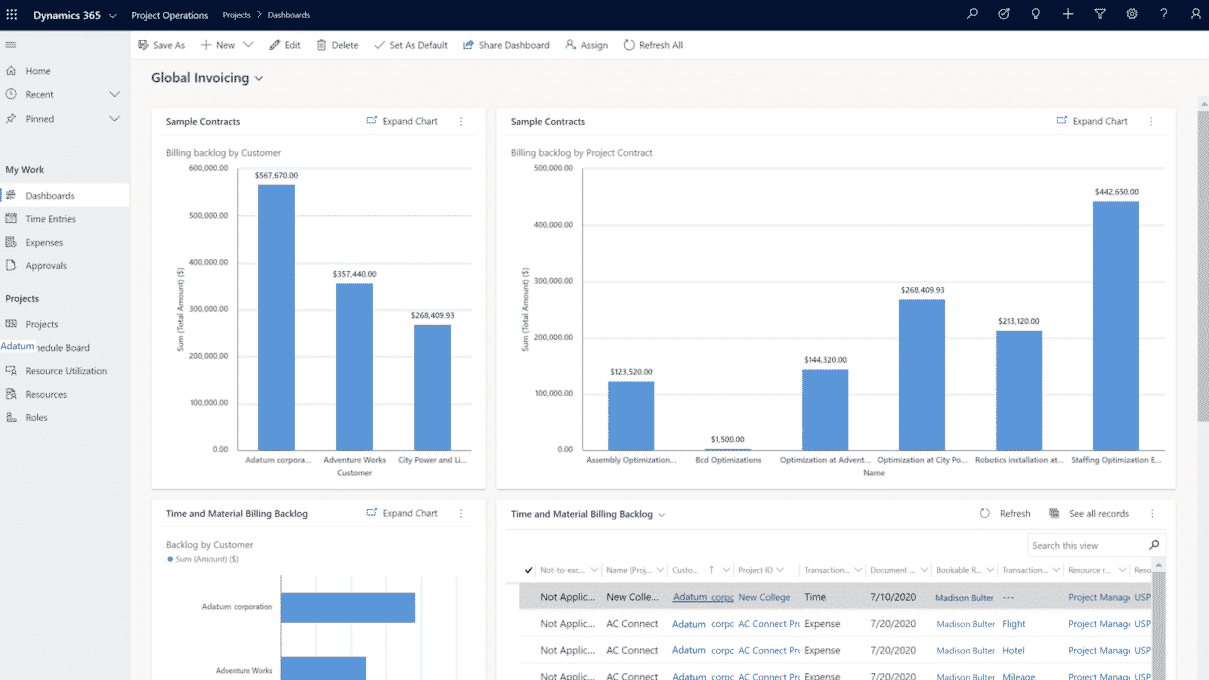
Microsoft Dynamics 365 Project Operations project accounting
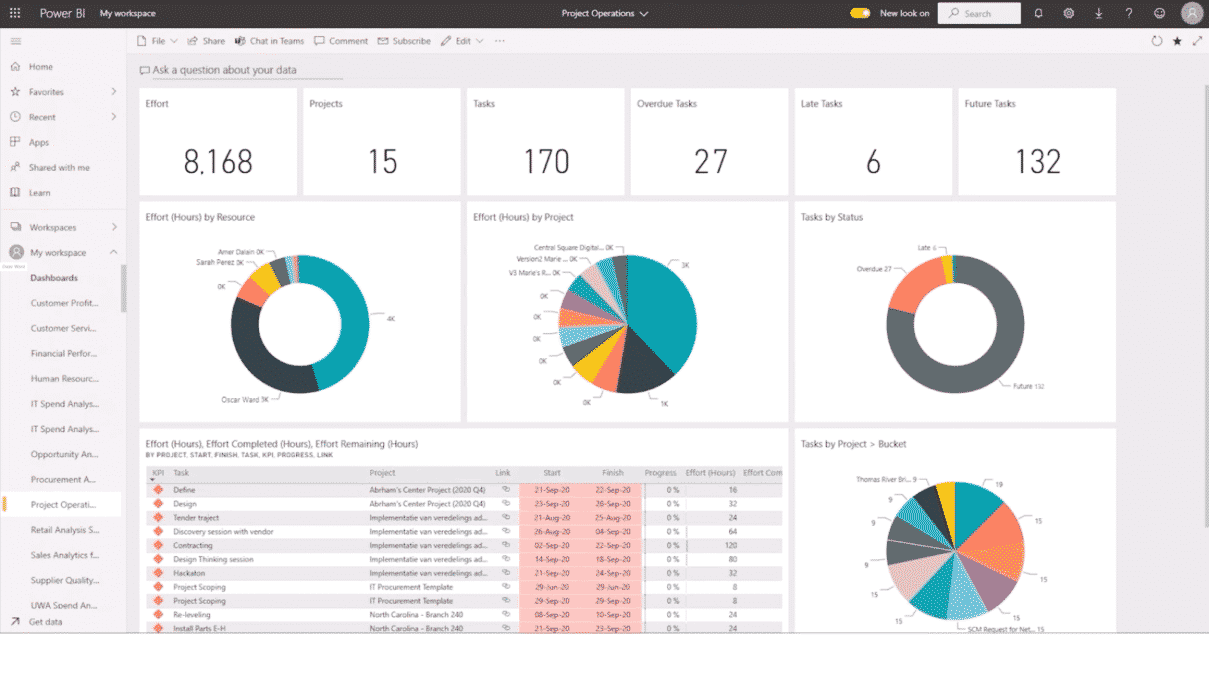
Microsoft Dynamics 365 Project Operations resource utilization analysis
Why choose Prodware?
Prodware has worked within the Professional Services sector for over 20 years both as an operator and as a partner, with on-premise and cloud deployment of Microsoft business applications. Through our deep knowledge of the needs of this industry, our Gold Partner status with Microsoft and the skill of our people we have developed complementary apps and solutions to core Microsoft technology to optimize operational efficiency for service delivery organizations.